How to use NFC
Follow this handy guide to learn how to use NFC.
Step 1
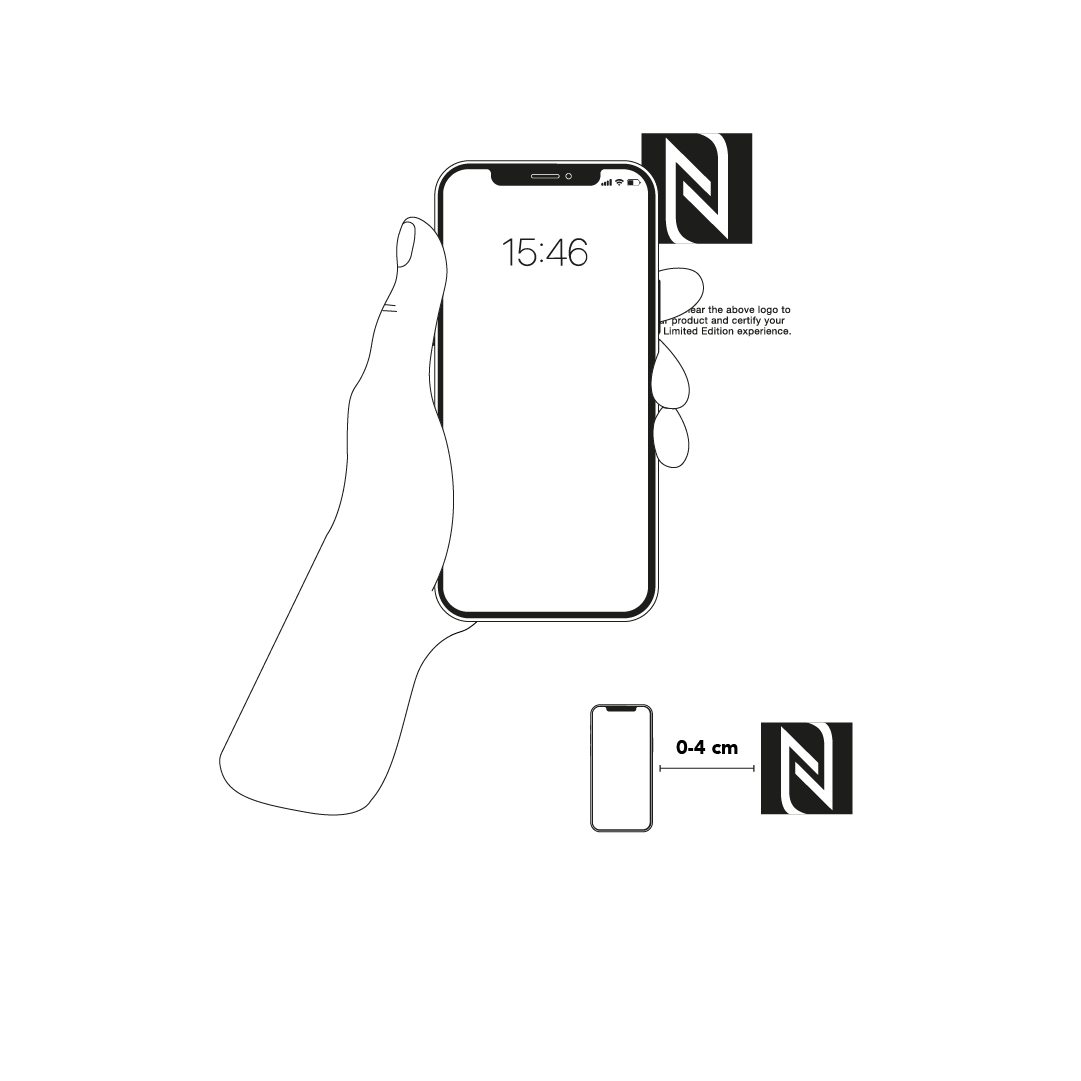
Hold your phone near the NFC tag to register and certify your product. You may need to activate the NFC reader on your device or use a reader app.
Step 2
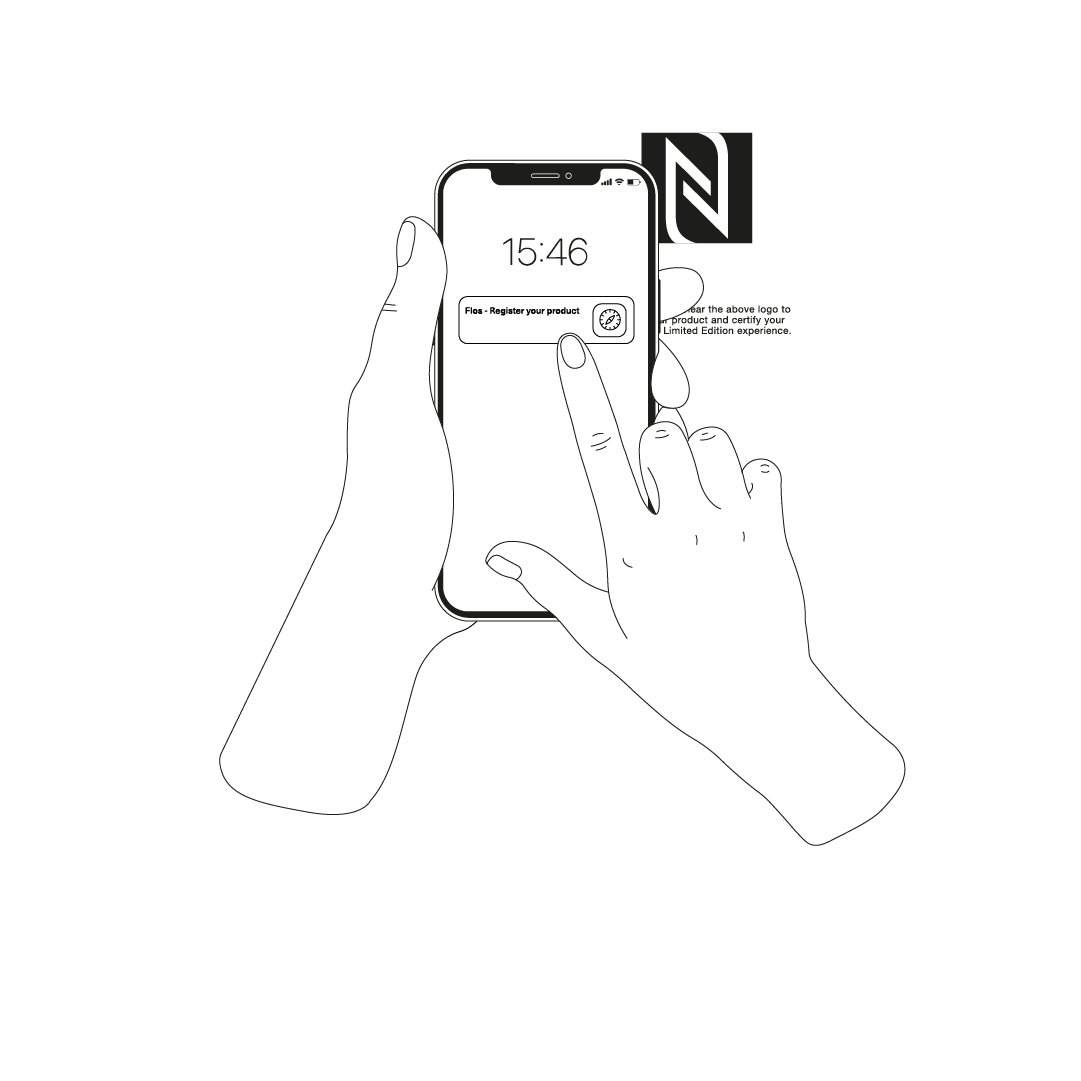
Tap the banner that appears on your Apple device (the link will open automatically for Android users).
Step 3
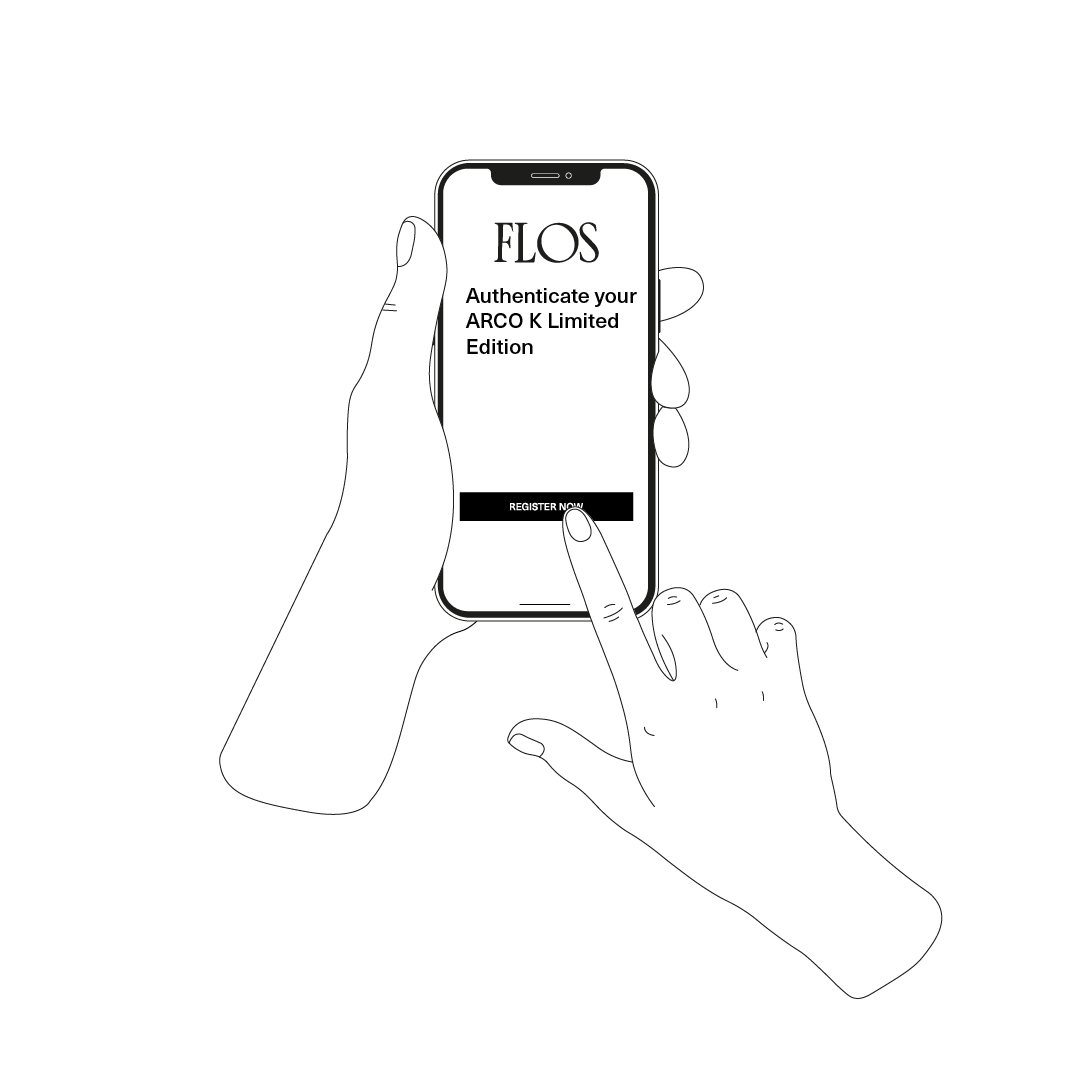
Discover exclusive benefits and register your product by tapping "register now".
Step 4
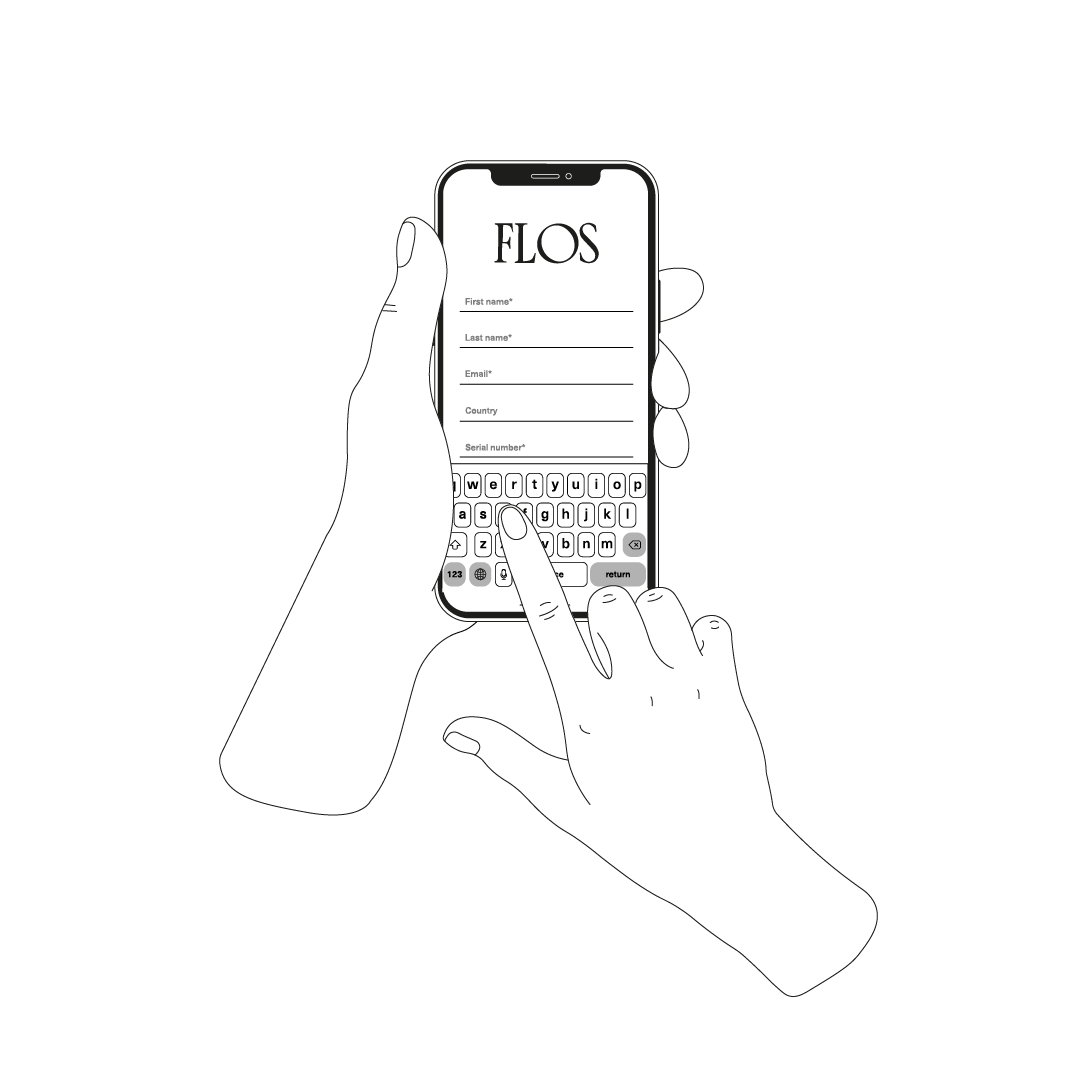
Fill in your personal data.
Step 5
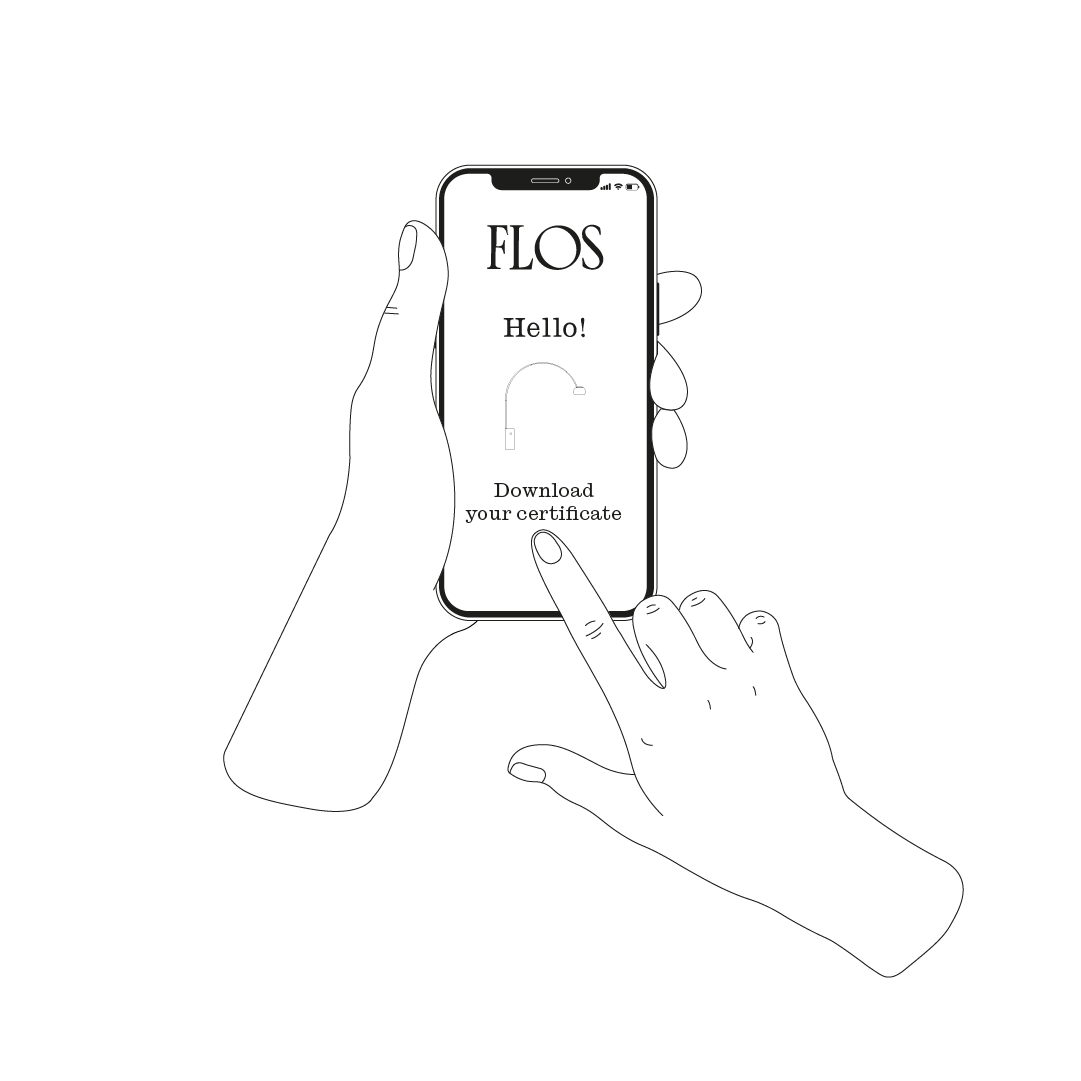
Make the most of an extended 5-year warranty as well as a dedicated customer care service and special content from Flos.
Q&A
WHY CAN'T I READ THE NFC TAG?
- Check that your NFC sensor is enabled (see below) and that your screen is unlocked.
- Check where your phone's NFC sensor is located. It is usually found on the back of the phone, more or less in the centre, but may also be located on the front or at the top of the phone.
- NFC stands for Near Field Communication and it functions at a range of 0-4 cm for passive tags so you need to hold your phone near the tag for a few seconds. Try moving the phone away and then trying to read the NFC tag again
- Make sure your cover is not too thick or made of metal, which can block or limit the sensitivity of the NFC sensor.
If you still cannot read the NFC tag, your phone's sensor may be faulty or the tag may be broken. Please contact us for more information.
HOW DO I ENABLE NFC ON MY SMARTPHONE?
Android users, open Settings and type "NFC" into the search bar
(NFC is enabled by default).
iPhones XR, XS, XS max, 11, 11 pro, 11 pro max, 12, 12 pro, 12
mini, 12 pro max, 13, 13 pro, 13 mini, 13 pro max, 14, 14 Pro,
14 Plus, 14 pro max, 15, 15 plus, 15 pro, 15 pro max and SE (2nd
and 3rd gen) are equipped with a passive reader that does not
require activation, just hold your phone near the tag.
For Iphones 7, 7 plus, 8, 8 plus and X, open Settings, select
Control Centre and scroll down to ad NFC functionality. Now
click on the newly added NFC command in the Control Centre to
read your NFC tag.
Privacy & Legal
©2024 Flos - P.IVA 00290820174